September 3, 2026
Amazon FBM Account Health Update: Why One Risky Offer Can Now Go Offline
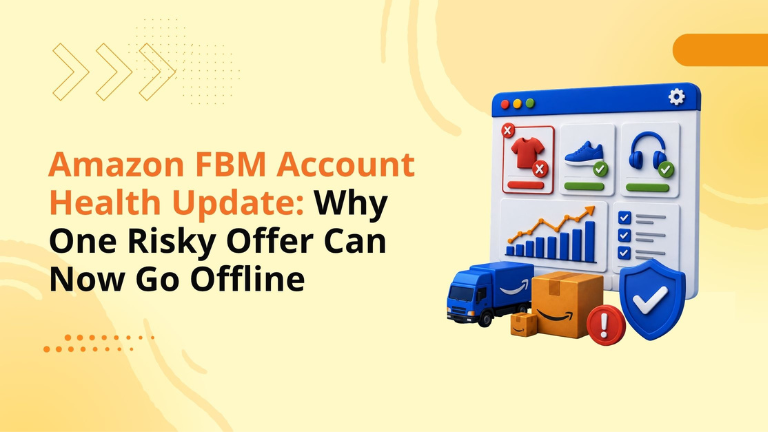
Amazon’s latest Account Health update is important for every seller using Fulfilled by Merchant.
Starting August 31, 2026, Amazon says that if an FBM offer puts Account Health at risk, it may temporarily deactivate that specific offer instead of allowing the issue to affect the full selling account. Previously, listings that failed required performance metrics could put the entire account at risk. Now, Amazon says only the affected offer is deactivated, while other active listings and overall Account Health are not impacted by that specific offer-level issue.
For sellers, this sounds like a safer system.
And in many ways, it is.
But it also creates a new operational reality: Amazon can now act directly on the individual FBM offers that are creating risk. That means one weak SKU, one unstable warehouse process, one poor tracking workflow, or one product with repeated customer issues can lose active selling status.
This update is not a reason to relax.
It is a reason to audit every seller-fulfilled offer before the warning email arrives.
Amazon has updated how it handles certain policy violations for Fulfilled by Merchant offers.
If an FBM offer creates Account Health risk, Amazon may temporarily deactivate that specific offer. Sellers will receive a warning email before deactivation with details about the issue and steps to resolve it.
Deactivated offers can be reviewed in:
Account Health Dashboard > Other Policy Violations
Amazon says it evaluates policies including Cancellation Rate, Late Shipment Rate, Order Defect Rate, and On-Time Delivery Rate when deciding whether an offer should be deactivated.
The key difference is this:
The issue may now be handled at the offer level instead of immediately putting the full account under broader risk.
That is better protection for the account, but it does not protect the revenue attached to that offer.
FBM gives sellers more control.
You manage inventory, packaging, shipping, carrier selection, handling time, tracking, and customer experience. That control can be useful for oversized products, custom items, fragile goods, backup fulfillment, regional shipping, or products where FBA does not make sense.
But FBM also puts more responsibility on the seller.
If inventory is inaccurate, orders can be cancelled.
If warehouse teams ship late, Late Shipment Rate can rise.
If tracking is missing or invalid, customers lose visibility.
If delivery misses expectations, buyers may complain.
If customer issues are not handled well, Order Defect Rate can increase.
Amazon’s update reduces the chance that one bad FBM offer creates broader account damage, but it also makes the affected offer easier to isolate and deactivate.
For a low-volume product, that may feel manageable.
For a best-selling FBM offer, it can mean lost sales, wasted ad traffic, lower ranking momentum, and customer trust issues.
Cancellation Rate measures how often sellers cancel seller-fulfilled orders.
Amazon requires sellers to keep Cancellation Rate under 2.5% to sell in the Amazon store. A high cancellation rate can show that inventory is not being managed accurately.
For FBM sellers, this often happens when:
A cancelled order is a broken customer promise.
The customer believed the item was available. Amazon showed the offer. The order was placed. Then the seller cancelled before fulfillment.
That is exactly the kind of experience Amazon wants to prevent.
Under the updated approach, repeated cancellations on a specific FBM offer may lead to that offer being removed until the seller resolves the issue.
Sellers should review inventory sync, channel allocation, safety stock, warehouse counts, and cancellation reasons weekly.
Late Shipment Rate measures how often seller-fulfilled orders are confirmed after the expected ship date.
Amazon requires sellers to maintain a Late Shipment Rate under 4%. This metric is measured over 10-day and 30-day periods and applies to seller-fulfilled orders.
Late shipment issues usually come from process gaps.
Common causes include:
The important detail is that Amazon looks at shipment confirmation timing.
If the order is shipped but not confirmed on time, it can still create a metric issue.
That means sellers need both physical fulfillment discipline and Seller Central confirmation discipline.
A good FBM workflow should confirm shipment as soon as the package is handed to the carrier, include valid tracking, and use the correct carrier and service name.
Order Defect Rate is one of the most serious seller performance metrics.
Amazon requires sellers to keep ODR under 1%. For seller-fulfilled orders, ODR can include negative feedback, A-to-z Guarantee claims, and service-related credit card chargebacks.
This metric matters because it reflects customer trust.
An FBM offer may develop ODR problems when:
ODR is not only a support problem. It is often a listing, fulfillment, packaging, and customer service problem combined.
Sellers should review negative feedback, claim reasons, chargeback causes, and product-specific complaints. If one offer has repeated buyer frustration, the root cause needs to be fixed before the offer is reactivated.
On-Time Delivery Rate measures the percentage of tracked seller-fulfilled shipments delivered by the estimated delivery date.
Amazon recommends sellers maintain an OTDR above 97%. Amazon notes that missing the target generally does not result in account suspension at this time, but late delivery can contribute to negative feedback, buyer contacts, and claims.
That makes OTDR an early warning metric.
If On-Time Delivery Rate is slipping, sellers should not wait for ODR to rise. They should review carrier performance, tracking quality, handling time, transit settings, and delivery promises.
Poor OTDR can quietly create bigger problems.
A late package can become a buyer message.
A buyer message can become frustration.
Frustration can become negative feedback or an A-to-z claim.
That can affect ODR.
That can put the offer at risk.
For FBM sellers, delivery performance is not just logistics. It is part of conversion, retention, and Account Health.
Amazon says sellers will receive a warning email before an affected offer is deactivated.
That warning should be treated as urgent.
Once the email arrives, sellers should identify:
The mistake many sellers make is responding only to the warning.
A stronger approach is to fix the system behind the warning.
If the issue is repeated cancellations, check inventory controls.
If the issue is late shipments, check handling time and warehouse workflow.
If the issue is ODR, check customer complaints and product quality.
If the issue is delivery performance, check carriers and transit templates.
The goal is not only to reactivate one offer.
The goal is to prevent the same issue across the catalog.
If Amazon temporarily deactivates an FBM offer, sellers should go to the Account Health dashboard and select Other Policy Violations.
From there, Amazon will provide instructions for resolving the issue and requesting reactivation.
Before submitting an appeal or response, sellers should prepare a clear operational explanation.
A strong response should explain:
Avoid vague responses like “We will be more careful.”
Amazon wants to see specific corrective actions.
For example, a stronger response might explain that the seller updated inventory sync frequency, added a safety stock buffer, adjusted handling time, retrained warehouse staff, changed carrier rules, or created daily metric checks.
Specificity builds trust.
Sellers should not wait for deactivation.
This update is a good time to audit the full FBM operation.
Start with high-revenue FBM offers. These are the listings where deactivation would hurt the most.
Then review offers with low order volume. One or two bad orders can have a large percentage impact when order volume is small.
Sellers should check:
This should be a recurring review, not a one-time cleanup.
FBM performance can change quickly during peak seasons, warehouse staffing changes, carrier delays, supplier delays, or unexpected demand spikes.
Many sellers think Account Health is separate from growth.
It is not.
If an FBM offer is deactivated, ads cannot make that offer sell. SEO cannot convert a buying option that is offline. A+ Content cannot help if customers cannot purchase. Ranking momentum can weaken if a key offer loses availability.
This is why Account Health should be part of every Amazon growth strategy.
PPC teams need to know when an offer is at risk.
Catalog teams need to know when listing issues create buyer confusion.
Operations teams need to know when warehouse processes affect metrics.
Customer service teams need to resolve issues before they become claims.
Leadership needs visibility before revenue is interrupted.
A seller-fulfilled offer is not just a fulfillment decision. It is a performance commitment.
At Big Internet Commerce, we help Amazon sellers and D2C brands grow through PPC management, Amazon SEO, listing optimization, A+ Content, catalog health, Store Management, creative strategy, and account performance support.
The Big Internet Commerce approach is built around finding bottlenecks that stop Amazon brands from scaling. The website highlights Amazon PPC, SEO, creative optimization, catalog audits, content analysis, image analysis, keyword mapping, and growth support for brands that are launching or already selling.
This Account Health update fits directly into that growth work.
A seller can have strong ads, strong keywords, strong product images, and strong pricing. But if FBM performance is weak, the offer can still go offline.
That is why sellers need a full-funnel Amazon strategy.
Traffic matters.
Conversion matters.
Catalog health matters.
Inventory matters.
Shipping performance matters.
Account Health matters.
If one of those pieces breaks, the account may not scale the way it should.
FBM sellers should take immediate action.
First, open Account Health and review Shipping Performance and Customer Service Performance.
Second, download reports for Cancellation Rate, Late Shipment Rate, and Order Defect Rate.
Third, identify the offers with the most cancellations, late shipments, claims, negative feedback, or chargebacks.
Fourth, check whether those issues are isolated to one product or repeated across multiple offers.
Fifth, fix the operational root cause before submitting any appeal or reactivation request.
Sixth, create a weekly FBM performance review so risky offers are caught early.
This should become part of the regular Amazon management rhythm.
Starting August 31, 2026, Amazon may temporarily deactivate an affected FBM offer if it puts Account Health at risk, instead of impacting the full selling account for that specific offer issue.
Amazon evaluates policies including Cancellation Rate, Late Shipment Rate, Order Defect Rate, and On-Time Delivery Rate.
Yes. Amazon says sellers will receive a warning email before an affected offer is deactivated.
Sellers can go to the Account Health dashboard, select Other Policy Violations, and follow the instructions to reactivate affected offers.
Amazon requires sellers to maintain a Cancellation Rate below 2.5% for seller-fulfilled orders.
Amazon requires sellers to maintain a Late Shipment Rate below 4% for seller-fulfilled orders.
Amazon requires sellers to maintain an Order Defect Rate below 1%.
Yes. If an offer is deactivated or loses buyer trust, PPC performance can suffer because traffic cannot convert properly.
We can help Amazon sellers audit Account Health, review FBM risks, improve catalog performance, optimize PPC, and build a stronger marketplace growth strategy.
Amazon’s FBM Account Health update may reduce the risk of one offer affecting the entire account, but it also increases the importance of offer-level performance.
If an FBM offer has repeated cancellations, late shipments, order defects, or delivery issues, it can still be temporarily deactivated.
For sellers, the message is clear:
Do not wait for the warning email.
Audit FBM metrics now.
Fix weak offers before they lose sales.
Connect Account Health with PPC, SEO, catalog, inventory, and fulfillment strategy.
We can help sellers review Account Health risks, Amazon PPC performance, catalog health, listing conversion, and operational gaps that may affect revenue.
Schedule a strategy call with our team.
Follow Big Internet Ecommerce (BIE) on Instagram & LinkedIn to stay updated with the latest trends in Amazon selling.
Fill out the form and our experts will get back
to you within 24 hours.
.webp)
.webp)
.webp)
We respect your privacy. Your information is safe with us.