July 28, 2026
Amazon Buy Shipping Carrier Account Linking: How Sellers Can Use Their Own Rates and Protect Account Health
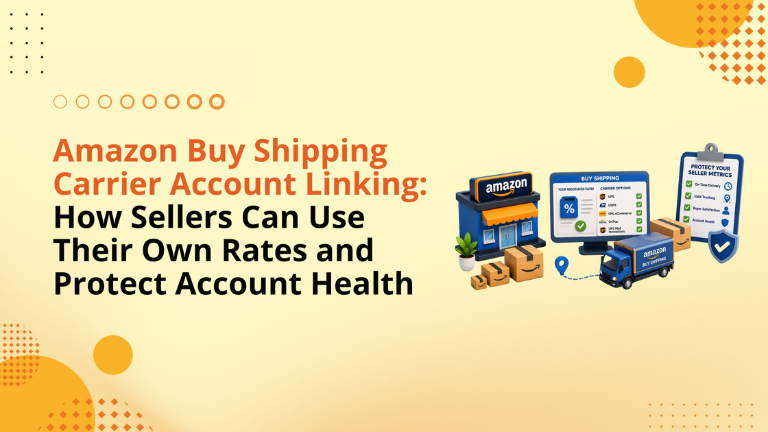
Many Amazon sellers focus heavily on PPC, SEO, product images, and conversion rate.
That is important.
But for self-shipping sellers, fulfillment can be just as important to profitability.
A strong listing can win the click. A good PPC campaign can drive the order. But if the shipping setup is inefficient, the seller may still lose margin through high label costs, delayed delivery, refund claims, late scans, and account health pressure.
Amazon Buy Shipping carrier account linking gives sellers a practical way to improve that workflow.
With this update, sellers can link eligible carrier accounts to Amazon Buy Shipping and use their own negotiated rates when purchasing labels. At the same time, they may be eligible for Amazon Buy Shipping protections when the selected shipping service qualifies and the shipment is handled correctly.
For FBM, Seller Fulfilled Prime, and multi-warehouse sellers, this can become a major operational advantage.
Amazon Buy Shipping carrier account linking allows sellers to connect their own carrier accounts inside Amazon Buy Shipping.
Instead of only using Amazon’s available rates, sellers can apply their own negotiated carrier rates while buying labels through Amazon’s shipping workflow.
This is useful for sellers who already have carrier relationships, volume-based pricing, or warehouse-specific shipping agreements.
Amazon’s current Buy Shipping workflow allows sellers to manage carrier accounts through Buy Shipping preferences and purchase labels through Seller Central, APIs, Veeqo, and approved integrators. Amazon also explains that sellers can manage carrier account linking from Buy Shipping preferences.
The update applies to eligible self-shipping sellers using supported carriers, including:
Amazon Buy Shipping also supports carrier-account workflows for major carriers such as UPS, FedEx, and USPS depending on the account setup, shipping method, and Seller Central configuration.
Before linking any carrier, sellers should confirm that the carrier account details, billing information, warehouse address, pickup ZIP code, and required credentials match the carrier’s records.
Self-shipping gives sellers more control, but it also adds more responsibility.
The seller must manage packaging, label buying, pickup timing, carrier choice, delivery speed, scan accuracy, and customer expectations.
If any part of that workflow fails, it can affect:
That is why this update matters. It allows sellers to bring their own carrier economics into Amazon’s Buy Shipping workflow while still having access to eligible protections when the right label is selected.
Carrier rates can vary widely based on shipping volume, package dimensions, service level, region, and account history.
If a seller has already negotiated better rates with a carrier, those rates may be more profitable than standard shipping options.
By linking the carrier account to Amazon Buy Shipping, sellers can potentially use their own negotiated rates while still buying labels inside Amazon’s system.
This can be valuable for brands with:
The important point is that the seller is still billed by the carrier for labels purchased through the linked account. Amazon is providing the Buy Shipping workflow, but the carrier account remains the billing source.
Amazon Buy Shipping protections are one of the biggest reasons sellers should take this update seriously.
Amazon identifies two key protection types: Claims Protection and OTDR Protection.
Claims Protection may apply to eligible “Package didn’t arrive” claims when the shipment meets Amazon’s conditions.
OTDR Protection may help protect the seller’s On-Time Delivery Rate when the seller buys an OTDR Protected label and uses Automated Handling Time and Shipping Settings Automation.
This can make a real difference for sellers who self-ship and want to reduce the risk of delivery-related metric damage.
Claims Protection is designed for eligible delivery-related claims, especially when the buyer says the package did not arrive.
A shipment may qualify when:
If the shipment qualifies, Amazon may fund the buyer reimbursement, and the claim may not count against the seller’s Order Defect Rate.
This is why the first scan matters.
Confirming shipment is not enough. Amazon considers the order shipped on time based on the carrier’s first scan.
OTDR stands for On-Time Delivery Rate.
For sellers managing FBM or Seller Fulfilled Prime orders, late delivery metrics can become a serious account health issue.
If a seller purchases a label with the OTDR Protected badge through Amazon Buy Shipping and uses Automated Handling Time and Shipping Settings Automation, Amazon states that the seller’s OTDR will not be negatively impacted by late deliveries under eligible conditions.
This does not mean every label is automatically protected.
The seller must choose the correct label and follow Amazon’s requirements.
Amazon may show a Late Delivery Risk badge when a shipping service has a lower chance of meeting the promised delivery date for that specific order.
These labels are not the same as Claims Protected or OTDR Protected labels.
For most sellers, the safest operational process is simple:
Prioritize protected labels when account health matters.
Avoid Late Delivery Risk labels unless there is a clear reason.
Train the shipping team to check badges before buying labels.
Review late-delivery patterns weekly.
Amazon notes that Late Delivery Risk labels are visible in Seller Central and Veeqo, while API access may require additional steps.
Sellers can manage carrier accounts from Buy Shipping preferences.
The basic workflow is:
Carrier rates may take a few business days to appear after linking, depending on carrier review and validation.
Before starting, sellers should update their email address, phone number, and ship-from location details inside Seller Central.
Many sellers make the mistake of treating carrier setup as one account-level task.
But if you have multiple warehouses, the setup needs more attention.
Amazon allows sellers to assign linked carrier accounts to specific ship-from locations. This helps sellers match the right carrier account to the right warehouse.
For example, a seller may use one UPS account for a West Coast warehouse and another account for an East Coast warehouse. Assigning the right account can help avoid rate mismatches, pickup issues, and address validation problems.
If sellers do not manually assign accounts, Amazon may assign the primary linked carrier account by default.
Sellers may be able to link more than one account per carrier.
This is useful for larger operations, but it also creates room for errors if the team does not manage it properly.
Amazon uses a primary account system. The first or oldest linked account may become the primary account. If a linked account is removed, Amazon may reassign warehouses to the primary account unless the seller manually updates the settings.
This is why sellers should keep a simple internal record of:
A clean tracking sheet can prevent confusion later.
Veeqo can be useful for sellers managing Amazon and non-Amazon orders from one shipping and inventory system.
Amazon describes Veeqo as free shipping software that supports shipping, inventory management, fulfillment workflows, and multichannel insights across Amazon, eBay, Etsy, Shopify, Walmart, and other channels.
For sellers handling multiple sales channels, Veeqo can help centralize shipping labels, inventory syncing, profit analysis, automation rules, and order workflows.
This is especially useful when a seller wants one operational view across Amazon and external ecommerce channels.
Sellers using the Shipping V2 API, Merchant Fulfillment API, or approved multi-channel integrators can also access Amazon Buy Shipping outside Seller Central.
This matters for sellers with higher order volume or more complex fulfillment systems.
However, API users must be careful with address matching.
The warehouse address passed through the API should match the ship-from address in Seller Central exactly. Even small differences such as extra spaces, spelling issues, or capitalization mismatches can cause Amazon to assign the primary account instead of the intended warehouse-linked account.
For sellers using third-party software, the integrator should confirm whether they support Amazon Buy Shipping and the specific protection or label functionality required.
The first mistake is linking a carrier account without checking whether the carrier details match exactly.
The second mistake is using the wrong ZIP code for UPS validation.
The third mistake is not assigning carrier accounts to each warehouse.
The fourth mistake is assuming every Buy Shipping label has protection.
The fifth mistake is buying Late Delivery Risk labels without understanding the account health impact.
The sixth mistake is failing to train warehouse staff on badge selection.
The seventh mistake is not reauthenticating linked UPS or FedEx accounts when required.
The eighth mistake is using APIs without matching the warehouse address exactly.
Avoiding these mistakes can reduce fulfillment issues before they become account health problems.
Sellers should complete a practical review before relying on the new setup.
Start with carrier contracts.
Confirm negotiated rates, billing terms, volume requirements, and the carrier accounts connected to each warehouse.
Then review Seller Central.
Check Buy Shipping preferences, carrier account status, warehouse locations, and primary account assignments.
Next, review the label workflow.
Make sure the shipping team understands Claims Protected, OTDR Protected, and Late Delivery Risk badges.
After that, review performance weekly.
Track late shipments, first scan timing, delivery claims, ODR, OTDR, VTR, shipping cost per order, and carrier performance by warehouse.
This is how sellers turn a feature update into a real operational advantage.
We help Amazon sellers build stronger marketplace systems across growth, operations, content, PPC, SEO, and account management.
For self-shipping sellers, the goal is not only to reduce shipping cost. The bigger goal is to protect profit, improve fulfillment control, and reduce account health risk.
Our team can help review:
We bring together Amazon strategy, operational discipline, and growth execution so sellers can scale with fewer avoidable leaks.
It allows sellers to connect eligible carrier accounts to Amazon Buy Shipping and use their own negotiated carrier rates when buying shipping labels.
When you use your linked carrier account, the carrier bills you directly for the label.
Yes, labels purchased through Amazon Buy Shipping using your linked carrier account may count toward the minimum shipped volume requirements agreed with the carrier.
No. Sellers must check whether the label has the Claims Protected or OTDR Protected badge. Late Delivery Risk labels are not the same as protected labels.
Amazon considers the order shipped on time based on the carrier’s first scan, not only when the seller confirms shipment.
Yes. Sellers with multiple ship-from locations can assign linked carrier accounts to specific warehouses.
Yes. Veeqo supports Amazon Buy Shipping workflows and can help sellers manage multichannel shipping, inventory, automation, and profit insights.
Self-shipping on Amazon and unsure if your carrier setup is protecting your margin and account health?
Schedule a strategy call with our team.
Follow Big Internet Ecommerce (BIE) on Instagram & LinkedIn to stay updated with the latest trends in Amazon selling.
Fill out the form and our experts will get back
to you within 24 hours.
.webp)
.webp)
.webp)
We respect your privacy. Your information is safe with us.