August 11, 2026
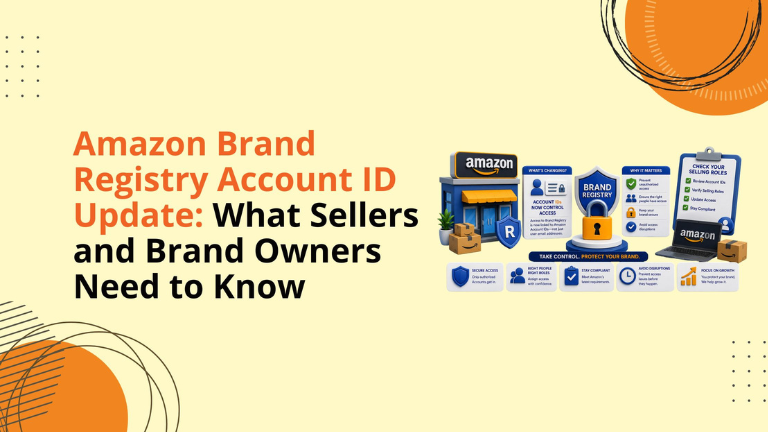
Amazon Brand Registry Account ID Update: What Sellers and Brand Owners Need to Know
Amazon growth is not only about strong keywords, better bids, clean images, or compelling A+ Content.
Those things matter, but your team first needs the right access.
If the correct Brand Registry selling role is not assigned, a seller, vendor, reseller, or agency may not be able to access important brand benefits such as A+ Content, Brand Stores, product videos, Sponsored Brands, Amazon Vine, Brand Analytics, Posts, and other tools that support visibility and conversion.
That is why Amazon’s Brand Registry update matters.
Effective July, 2026, Brand Registry Administrators will use Account IDs instead of Merchant Tokens to assign and manage selling roles. This change is designed to make role management simpler, especially for brands operating across multiple Amazon stores, regions, seller accounts, vendor relationships, agencies, and reseller networks.
For Amazon sellers and brand owners, this is a good time to review who has access, what role they have, and whether your brand benefits are set up correctly.
Amazon Brand Registry Administrators will now use Account IDs when assigning or modifying selling roles.
A selling role defines the relationship between a selling partner and the registered brand. This role can make the account eligible for brand selling benefits and listing privileges.
This update affects:
The main shift is simple: Brand Registry is moving away from marketplace-specific identifiers and toward one unified Account ID.
A Merchant Token is a unique seller identifier that has traditionally been used inside Amazon systems and third-party application access.
The issue is that many Amazon businesses are no longer simple one-account operations.
A brand may have:
Managing this through Merchant Tokens can become messy.
Account IDs simplify that process by giving each seller or vendor company one unified business identifier across Amazon’s global marketplaces.
In most cases, Account IDs start with:
amzn1.pa.o
For Brand Registry Administrators, this creates a cleaner way to connect the right selling partner account to the right brand.
This is not just a backend account update.
Selling role access affects real business execution.
If access is incorrect, your team may run into delays with:
For a growing brand, those delays can affect sales momentum, campaign readiness, conversion improvements, and content execution.
If your team is preparing for a product launch, seasonal campaign, catalog cleanup, A+ refresh, or advertising push, Brand Registry access should be reviewed before the work begins.
One of the most important points to understand is that Amazon Brand Registry has two separate role groups.
Selling roles define how a selling partner is connected to the brand from a sales and marketplace benefits perspective.
The two main selling roles are:
These roles can unlock eligibility for brand selling benefits and listing privileges, depending on account type, marketplace, and Amazon eligibility.
Protection roles define how a Brand Registry account is connected to the brand for protection-related activity.
These roles include:
Only Administrators can assign or remove both selling roles and protection roles.
The key point: selling roles do not automatically provide protection access.
For example, the Report a Violation tool is a protection benefit. Access to that tool comes through a protection role, not a selling role.
Brand Registry Administrators can assign two types of selling roles.
A Brand Representative is an internal, first-party selling partner directly connected to the brand.
This role is generally used when the selling account is operated by the brand or by a team directly representing the brand.
A Brand Representative may receive broader eligibility for certain brand selling benefits, depending on Amazon’s marketplace and account rules.
A Reseller is an external third-party selling partner authorized by the brand to sell its products on Amazon.
This role is useful when brands work with distributors, retail partners, or outside sellers but still want to create a clear relationship inside Brand Registry.
Amazon remains an open marketplace. Sellers without an assigned Brand Registry selling role may still sell products on Amazon if they follow Amazon’s selling policies. However, they may not have access to the same brand selling benefits.
Brand selling benefits are tools and programs that help eligible selling partners manage branded products and improve brand visibility.
Depending on store, role, account type, and eligibility, these benefits may include:
For serious Amazon brands, these are not “nice to have” tools. They are often central to conversion, advertising, brand trust, customer education, and catalog growth.
Only the Account Owner can view the Account ID.
To find it:
If you cannot see the Account ID, you may not have owner-level access.
If you need the Account ID but do not know who owns the account, follow these steps:
If User Permissions is not available, contact your Seller Central Administrator.
This step is especially important when an agency, reseller, consultant, or internal team member needs brand benefit access.
Only Brand Registry Administrators can assign selling roles.
To connect a selling partner account, the Administrator can follow this general process inside Brand Registry:
After this, the account owner for Seller Central or the account administrator for Vendor Central will receive an invitation. Once accepted, the selling role will show as active.
Administrators can connect as many selling partner accounts as needed.
A selling role invitation must be accepted by the correct account user.
For Seller Central, the invitation goes to the Account Owner. For Vendor Central, it goes to the Account Administrator.
Seller Central Administrators can manually share the invitation link with other users on the account. However, those users can accept only if Brand Benefit Eligibility has been activated for them in User Permissions.
This is one of the most common places where access issues happen.
The invitation may be sent, but the wrong person may be waiting for it. Or the user may receive the link but still not have the required permission to accept it.
For teams working on A+ Content, Stores, PPC, or Vine, this can create unnecessary delays.
Brand Registry Administrators should regularly review connected accounts.
To update roles:
This review is useful when adding a new agency, changing resellers, removing an old vendor, or correcting the wrong role.
Administrators can also review pending invitations inside Brand Registry.
From the Open Invitations section, they can:
This helps brands keep access clean and avoid old invitations staying open longer than needed.
Some connected Seller Central accounts may show a yellow “Out-of-sync” banner.
This means Amazon needs the Brand Registry Administrator to verify the correct selling role as part of the transition from Merchant Tokens to Account IDs.
When the Administrator clicks Manage Access, both Brand Representative and Reseller may appear selected for at least one brand.
The Administrator should choose the correct role and update the access.
Ignoring this warning can create confusion around permissions, benefits, and account relationships.
Seller Central users can use Brand Benefit Eligibility to review existing brand relationships and request selling roles.
Sellers can use this tool to:
If the Brand Registry Administrator approves the request, related benefits may become available within 48 hours.
Vendors cannot request access this way. They need to connect directly with the brand Administrator.
When a seller submits a request for a selling role, the request appears on the Administrator’s Manage Selling Roles page.
Administrators have 30 days to approve or reject the request before it expires.
To review requests:
This gives brands better control over who receives selling benefits connected to their registered brand.
Brands should avoid treating this as a small technical update.
Common mistakes include:
These issues can slow down content production, campaign setup, listing optimization, and marketplace growth.
We help Amazon brands grow through PPC management, SEO, listing optimization, A+ Content, Storefront design, creative strategy, catalog management, inventory health, and full-service Amazon account support.
But even the best growth strategy can slow down if the right permissions are not in place.
A strong Amazon account should have:
We help brands find and fix these operational gaps so growth work can move faster.
Whether a brand is launching on Amazon or already selling and trying to scale, the right account structure supports better execution.
Amazon brands should run a quick Brand Registry access review.
Start with this checklist:
This simple review can prevent delays before important launches, promotions, creative updates, or account management work.
Brand Registry Administrators now use Account IDs instead of Merchant Tokens to assign and manage selling roles.
An Account ID is a unified business identifier for a seller or vendor company across Amazon’s global marketplaces.
Account Owners can find it in Seller Central by going to Settings and then Manage Accounts.
The two main selling roles are Brand Representative and Reseller.
No. Report a Violation is a protection benefit and requires the correct protection role.
It means the Brand Registry Administrator needs to verify the correct selling role during the transition from Merchant Tokens to Account IDs.
If a selling role request is approved, related benefits may become available within 48 hours.
Amazon’s move from Merchant Tokens to Account IDs is designed to make Brand Registry selling role management easier.
But brands still need to take action.
If your Amazon business depends on A+ Content, Brand Stores, Sponsored Brands, Vine, Brand Analytics, product videos, or agency support, now is the time to confirm that the correct selling roles are assigned.
We help Amazon brands review account health, catalog structure, listing performance, PPC opportunities, creative assets, and growth operations.
Schedule a strategy call with our team.
Follow Big Internet Ecommerce (BIE) on Instagram & LinkedIn to stay updated with the latest trends in Amazon selling.
Fill out the form and our experts will get back
to you within 24 hours.
.webp)
.webp)
.webp)
We respect your privacy. Your information is safe with us.